Getting Things Done (GTD): The Complete Guide to Stress-Free Productivity
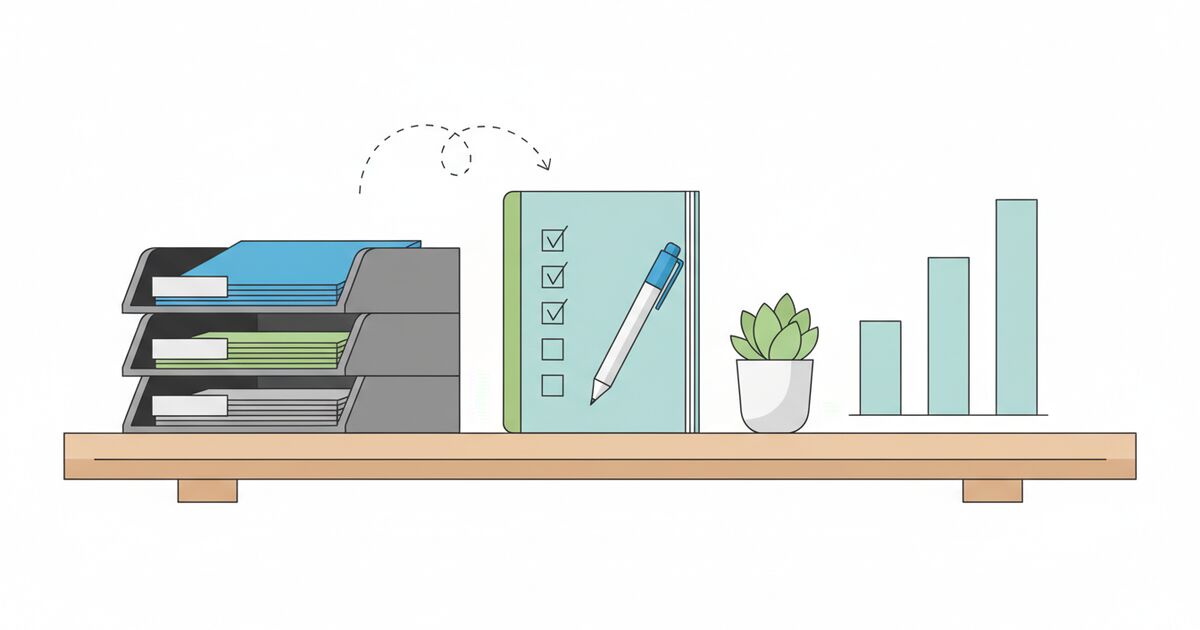
You're in a meeting and someone mentions that the client proposal needs revisions. While they're talking, you remember you never responded to that email from yesterday. And you need to schedule a dentist appointment. And there's that report due Friday. And the grocery list you started in your head this morning.
None of these things are particularly hard. But trying to hold all of them in your brain at once makes everything feel harder than it is. You leave the meeting with a vague sense of anxiety and a nagging feeling that you're forgetting something. You probably are.
David Allen's Getting Things Done - usually just called GTD - was designed to solve exactly this problem. Published in 2001, the method has been adopted by millions of people, from Fortune 500 executives to freelance designers. Not because it's complicated. Because it's based on one deceptively simple insight: your brain is terrible at remembering things, and it knows it. That background anxiety you feel? It's your mind trying to track dozens of open commitments with a system that wasn't built for the job.
GTD gives that job to an external system instead. And when you trust that system, your mind quiets down and you can actually focus on doing the work in front of you.
The Core Problem GTD Solves
Allen calls them "open loops" - anything that's pulling at your attention because it doesn't have a defined outcome or next step. That email you haven't replied to is an open loop. The project that's "somewhere on your list" but you haven't figured out what to do next - that's an open loop too. The birthday gift you need to buy, the code review you promised, the home repair you keep putting off.
Each open loop occupies a small amount of your working memory. Individually, no big deal. But humans typically carry 30 to 100 of these at any given time. Collectively, they create a constant, low-level cognitive load that drains your attention and makes focused work harder than it needs to be.
Research in cognitive psychology supports this. The Zeigarnik effect, first documented in the 1920s, shows that incomplete tasks occupy more mental space than completed ones. Your brain keeps pinging you about unfinished business specifically because it hasn't been resolved. It's not a flaw - it's your mind's way of saying "I don't trust that this will get handled."
GTD doesn't ask you to do more. It asks you to capture everything, decide what each thing means, and put it where you'll find it when you need it. Once your brain believes the system is handling the tracking, it stops nagging you. That's when the "stress-free" part kicks in.
The Five Steps of GTD
The method is built on five phases that work as a continuous workflow. Not a one-time setup - a way of processing everything that comes at you, every day.
1. Capture
The first rule is: get it out of your head. Every task, idea, commitment, reminder, random thought that has any "should" energy attached to it - capture it. Write it down. Put it in an app. Dictate it into your phone. Drop it into a physical inbox tray. The medium doesn't matter as long as you trust that you'll process it later.
The key is to capture without judging, organizing, or deciding. Don't stop to evaluate whether something is important. Don't try to figure out the next step yet. Just get it down. If you're in the shower and think "I should call the contractor about the deck," say it into a voice memo. If you're reading an email and realize it needs a thoughtful reply, move it to your inbox. If you're in a meeting and someone assigns you an action item, write it on a notepad.
Allen recommends starting with a "mind sweep" - sitting down and writing everything that's on your mind until you can't think of anything else. Most people generate 50 to 200 items in their first sweep. That number is usually a revelation. You didn't realize how much you were carrying.
Your capture tools need to be available everywhere. If you can't capture a thought within seconds of having it, you'll lose it or - worse - your brain will keep recycling it. A notebook in your pocket, a notes app on your phone, an inbox tray on your desk. Use whatever works, but have it close.
2. Clarify
This is where most productivity systems fall apart, and where GTD earns its reputation. Capturing is easy. Clarifying is the real work.
For each item in your inbox, ask two questions: "What is this?" and "Is it actionable?"
If it's not actionable, it goes into one of three places: the trash (you don't need it), a reference file (useful information but no action required), or a Someday/Maybe list (things you might want to do but not now).
If it is actionable, ask: "What's the next physical action?" This is the critical question. Not "what needs to happen eventually" but "what is the very next thing I would physically do to move this forward?"
"Deal with taxes" isn't a next action. "Download 2025 W-2 from employer portal" is. "Plan vacation" isn't a next action. "Text Sarah about available dates in July" is. The next action must be specific enough that you could do it right now without any further thinking about what it means.
If the next action takes less than two minutes, do it immediately. The two-minute rule is one of GTD's most powerful ideas. Quick reply emails, filing a document, making a short phone call - if it's faster to do it than to organize it, just knock it out.
If the next action takes longer than two minutes, either delegate it (put it on your Waiting For list with the person's name and date) or defer it (put it on your Next Actions list).
If the item requires more than one step to complete, it's a Project. In GTD, a "project" is any outcome that requires two or more actions. "Replace kitchen faucet" is a project. "Write Q3 report" is a project. "Plan team offsite" is a project. Add it to your Projects list and identify the next action.
3. Organize
Once you've clarified what something is and what the next action is, put it in the right place. GTD uses several core lists:
- Next Actions: The single next physical action for tasks you're going to do yourself. Optionally organized by context (@computer, @phone, @errands, @office, @home) so you can batch similar actions together. This connects directly to task batching - when you're at the store, check your @errands list. When you're at your desk, check @computer.
- Projects: Any outcome that requires more than one action. This is just a list of outcomes - "Kitchen faucet replaced," "Q3 report submitted" - not the steps. The steps live on the Next Actions list. Every project must have at least one next action defined at all times.
- Waiting For: Things you've delegated or are waiting on someone else for. Include who, what, and when you handed it off. Review this list weekly so nothing falls through the cracks.
- Someday/Maybe: Things you're not committed to now but might want to do later. Learn Italian. Build a bookshelf. Start a podcast. This list keeps aspirational ideas from cluttering your active task lists while making sure you don't forget them entirely.
- Calendar: Only time-specific commitments go here. Meetings, deadlines, appointments - things that must happen on a specific day or at a specific time. GTD is strict about this: your calendar is sacred ground. If it's on the calendar, it happens then. If it's flexible, it belongs on Next Actions, not the calendar.
- Reference: Information you don't need to act on but might need later. Manuals, account numbers, notes from meetings, interesting articles. File it where you can find it when you need it.
The organizing step is about building trust. When every item has a clear home, you stop worrying about whether you're forgetting something. Your brain can let go because the system is handling the tracking.
4. Reflect
A system is only as good as your habit of reviewing it. GTD's reflection step happens at two levels.
Daily: Check your calendar and Next Actions list at the start of each day (or the night before). Know what's on your plate. A quick daily planning session helps here - five minutes to scan your lists and decide what you'll focus on.
Weekly: The Weekly Review is the backbone of GTD. Allen considers it the single most important habit in the system. Set aside 30 to 60 minutes once a week (Friday afternoon works well) and do three things:
- Get clear: Process all inboxes to zero. Collect loose papers, notes, and digital captures. Make sure everything is captured and clarified.
- Get current: Review your Next Actions, Projects, Waiting For, and calendar for the coming week. Is every project moving? Are there stale items? Anything you can cross off?
- Get creative: Browse your Someday/Maybe list. Any new ideas? Anything you want to activate? This is where strategic thinking happens.
The Weekly Review is where most people either succeed or fail with GTD. Without it, lists get stale. Stale lists don't get checked. Unchecked lists don't earn trust. And without trust, your brain goes back to trying to track everything internally - which is exactly the problem you were trying to solve.
5. Engage
Now you do the work. With a clear system, choosing what to work on becomes much easier. Allen suggests four criteria for deciding what to do in any given moment:
- Context: What can you do where you are, with the tools you have? If you're on the train, you can't make phone calls (well, you can, but you shouldn't). Check your @phone list when you have your phone and privacy, your @computer list when you're at your desk.
- Time available: If you have 15 minutes before a meeting, pick a 15-minute task. Don't start a two-hour deep work session.
- Energy available: This connects to energy management. Are you sharp and focused? Do complex, demanding work. Are you tired and foggy? Handle routine tasks from your Next Actions list.
- Priority: Given the above filters, which remaining task matters most? Use something like the Eisenhower Matrix to distinguish between urgent, important, both, or neither.
This framework prevents the common trap of always defaulting to whatever feels urgent or easy. When your system is trustworthy and your lists are current, you can look at your options and make a calm, informed choice instead of reacting to whatever's loudest.
GTD and the Pomodoro Technique
GTD tells you what to do. The Pomodoro Technique tells you how to do it. They're natural partners.
Once you've used GTD's engage criteria to choose a task, set a Pomodoro timer and work on it with full focus for 25 minutes. The task has already been clarified and defined as a concrete next action, so there's no ambiguity about what you're doing. You just execute.
This combination solves two problems at once. GTD handles the anxiety of "am I working on the right thing?" and Pomodoro handles the difficulty of "how do I stay focused on this one thing?" Together, they create a tight loop: pick the right task from your GTD list, work on it in a focused Pomodoro sprint, take a break, and either continue or pick the next task.
The task estimator can help you figure out how many Pomodoro sessions each task will need, and a focus log can track what you actually accomplished during each session. Over time, you build data on how long different types of tasks take, which makes GTD's "time available" filter more accurate.
The Mind Like Water Principle
Allen describes the ideal mental state as "mind like water" - borrowed from martial arts. When you throw a rock into a pond, the water responds proportionally. A small rock gets a small ripple. A boulder gets a big splash. The water doesn't overreact or underreact. It just responds appropriately and then returns to calm.
That's what GTD aims for in your work life. When something comes at you - a request, an emergency, a new idea - you respond proportionally. You don't panic because you capture it, clarify it, and put it in the system. You don't forget about it because the system is trustworthy. And you don't spend the rest of the day anxiously ruminating because your brain has let go of the tracking job.
Mind like water doesn't mean you do less. It means you do whatever you're doing with full presence because nothing else is competing for your attention. This is closely related to the concept of flow state - and it's much easier to achieve when your mind isn't juggling fifty open loops.
Setting Up GTD: A Practical Starting Point
You don't need fancy tools. You need something to capture, something to hold your lists, and a calendar. That's it.
Capture tool: A small notebook you carry everywhere, plus a notes app on your phone. Some people use voice memos. Whatever lets you get a thought down in under 10 seconds.
List manager: A simple app, a set of labeled folders, index cards - anything that lets you maintain separate lists for Next Actions, Projects, Waiting For, and Someday/Maybe. Paper works fine. Digital is easier to search and reorganize.
Calendar: Whatever you already use. Google Calendar, Outlook, a paper planner. The key is using it only for time-specific items.
Reference file: A filing cabinet, a folder in Google Drive, Notion, or Evernote. Somewhere to dump information you don't need to act on but might need later.
Start with the mind sweep. Set aside two hours on a weekend. Sit down with a stack of paper (or a blank document) and write down every single thing that's on your mind. Every commitment, every task, every "I should really..." thought. Don't filter. Don't organize. Just dump.
Then process each item through the Clarify step. What is it? Is it actionable? What's the next action? This initial processing will take a while - possibly another two to three hours - but it's a one-time investment. After this, you're maintaining the system, not building it from scratch.
Common GTD Mistakes (and How to Avoid Them)
Writing vague items on your Next Actions list. "Work on presentation" isn't a next action. "Draft slide 3: Q2 revenue chart" is. If you look at an item on your list and feel any resistance or confusion about what to do, the action isn't specific enough. Rewrite it until it's a clear, physical thing you can start doing immediately.
Using your calendar as a to-do list. The calendar should only hold things with a hard date or time. If you put aspirational tasks on your calendar ("maybe I'll go to the gym at 6"), you start ignoring your calendar because it contains things that aren't real commitments. Then you miss actual appointments. Keep the calendar sacred.
Skipping the Weekly Review. This is the most common failure mode. You set up the system, use it for two weeks, skip a review, skip another, and suddenly your lists are stale and you don't trust them. Block time for the review like you'd block a meeting. It's the single habit that keeps GTD running.
Over-engineering the system. Some people spend more time configuring their GTD app than actually doing tasks. Tags, color codes, nested projects, automation rules - none of it matters if you're not capturing, clarifying, and reviewing consistently. Start simple. Add complexity only when you feel a genuine need for it.
Confusing projects with actions. Every project on your Projects list needs exactly one next action on your Next Actions list. If a project doesn't have a defined next action, it's stuck, and you probably won't notice until the Weekly Review (another reason the review is critical). Check your Projects list - does every project have a clear next step? If not, define one now.
Letting your inbox pile up. The inbox - paper or digital - should get processed to zero regularly. Not "read and leave for later" but actually clarified: trash it, file it, do it (if under two minutes), delegate it, or defer it. A crowded inbox defeats the purpose of the system. Process it daily.
GTD for Different Types of Work
For knowledge workers: GTD shines here. Email, Slack, meetings, project work, administrative tasks - the firehose of inputs is exactly what GTD was built to tame. Context lists are especially useful: batch all your @email actions together, all your @calls together, all your @computer tasks together. When you sit down at your desk, you know exactly what to do.
For students: Adapt the system around your academic workflow. Capture assignments, reading, study sessions, and project milestones. Use the Pomodoro study method for the engage phase. The Someday/Maybe list is a great place for extracurricular ideas and long-term goals. The Weekly Review happens Sunday evening - set up the week ahead, check deadlines, identify next actions for every active class.
For creative professionals: GTD sometimes feels at odds with creative work because it's so structured. But the structure is precisely what frees you up for creativity. When you're not worrying about forgotten commitments, your mind has space for ideas. Use the Capture step aggressively for creative sparks - half-formed ideas, visual references, random associations. Put them on Someday/Maybe or in a "Creative Ideas" reference file. The structure holds the mundane so your creative energy can go where it matters.
For managers: Your Waiting For list becomes crucial. You're constantly delegating tasks and need to follow up. GTD gives you a clean view of everything you've handed off, when, and to whom. Your Projects list maps to your team's active initiatives. The Weekly Review is where you catch dropped balls before they become problems. And context switching - the bane of every manager's day - is easier to manage when you have clear, context-sorted action lists.
GTD and Other Productivity Methods
GTD isn't mutually exclusive with other productivity frameworks. It's a workflow system, not a prioritization system. You can (and should) layer other methods on top.
The Eisenhower Matrix helps you prioritize items on your Next Actions list. Is this task urgent, important, both, or neither? GTD tells you what to do; Eisenhower tells you what matters.
Time blocking works beautifully with GTD. Once you know your next actions, block dedicated time on your calendar to do them. This bridges the gap between having a great list and actually doing what's on it.
Eat the Frog pairs well with GTD's engage step. In the morning, when your ultradian rhythm is at its peak, pick the hardest or most avoided item from your Next Actions list and do it first. GTD ensures the frog is clearly defined; eat-the-frog tells you when to tackle it.
Parkinson's Law reminds you to set time limits on tasks. Without constraints, work expands to fill available time. Combining GTD's clear task definitions with Pomodoro-style time boxes prevents perfectionism and keeps things moving.
Deep work benefits from GTD as a supporting system. The shallow administrative tasks that normally interrupt deep work sessions get captured into the GTD system for later processing, keeping your deep work blocks protected and focused.
Why People Quit GTD (and How to Stick With It)
Most people who abandon GTD don't leave because the system doesn't work. They leave because maintaining it takes effort, and the benefits are subtle enough that they forget how much worse things were before.
The most common quitting points:
- Week 3: The initial mind sweep energy fades. Processing inboxes daily starts feeling like a chore. Solution: make it automatic. Process your inbox at the same time every day - first thing in the morning, or right after lunch. Build the habit before questioning the system.
- Month 2: You skip a Weekly Review. Then another. Your lists get stale. You stop trusting them and go back to keeping everything in your head. Solution: put the Weekly Review on your calendar as a recurring appointment. Don't cancel it. It's 45 minutes that saves hours of anxiety.
- Month 4: Your system has grown complicated. Too many lists, too many tags, too many tools. You spend more time managing the system than doing work. Solution: simplify. Strip back to the essentials: Next Actions, Projects, Waiting For, Someday/Maybe, Calendar. That's all you really need.
The people who make GTD work long-term share one trait: they keep their system simple enough that maintaining it never becomes the hardest part of their day. The system should serve you, not the other way around.
Frequently Asked Questions
What is the Getting Things Done (GTD) method?
Getting Things Done is a productivity system created by David Allen that helps you manage tasks and commitments by getting them out of your head and into a trusted external system. It follows five steps: capture everything that has your attention, clarify what each item means and what action is needed, organize items into appropriate lists and categories, reflect on your system regularly through weekly reviews, and engage by choosing the right task to work on based on context, time, energy, and priority. The core idea is that your brain is for having ideas, not storing them - and when you stop trying to remember everything, you reduce stress and think more clearly.
What are the five steps of GTD?
The five steps are Capture, Clarify, Organize, Reflect, and Engage. Capture means collecting every task, idea, and commitment into an inbox. Clarify means processing each item by asking "What is this?" and "What's the next action?" Organize means putting clarified items into the right lists: Next Actions, Waiting For, Projects, Someday/Maybe, or Reference. Reflect means reviewing your lists regularly, especially during a Weekly Review. Engage means actually doing the work, choosing tasks based on your current context, available time, energy level, and priorities.
How is GTD different from a simple to-do list?
A simple to-do list is just a list of things you need to do. GTD is a complete workflow system that tells you how to capture, process, organize, review, and choose tasks. The biggest difference is that GTD requires you to clarify the next physical action for every item. Instead of writing "deal with taxes" on a list, GTD asks you to identify the specific next step: "Download last year's return from accountant portal." GTD also separates tasks by context and uses a project list to track multi-step outcomes. A to-do list tells you what to do; GTD tells you how to decide what to do right now.
What is the two-minute rule in GTD?
The two-minute rule says that if a task will take less than two minutes to complete, you should do it immediately rather than adding it to a list. The logic is that the time it takes to capture, organize, and later retrieve a two-minute task exceeds the time it takes to just do it now. This applies during the Clarify step when you're processing your inbox. The concept has become popular beyond GTD - it's a simple way to prevent small tasks from piling up. Learn more about how it works in our guide to the two-minute rule.
How often should I do a GTD Weekly Review?
Once per week, ideally at the same time each week. David Allen recommends Friday afternoon because it lets you close out the work week and enter the weekend with a clear mind. The Weekly Review typically takes 30 to 60 minutes and involves getting clear (process all inboxes to zero), getting current (review your next action lists, projects, and waiting-for items), and getting creative (look at your Someday/Maybe list and consider new ideas). The Weekly Review is considered the most critical habit in GTD because it keeps your system trustworthy. Without it, lists go stale and you stop trusting the system.