Time Blocking: How to Plan Your Day for Maximum Productivity
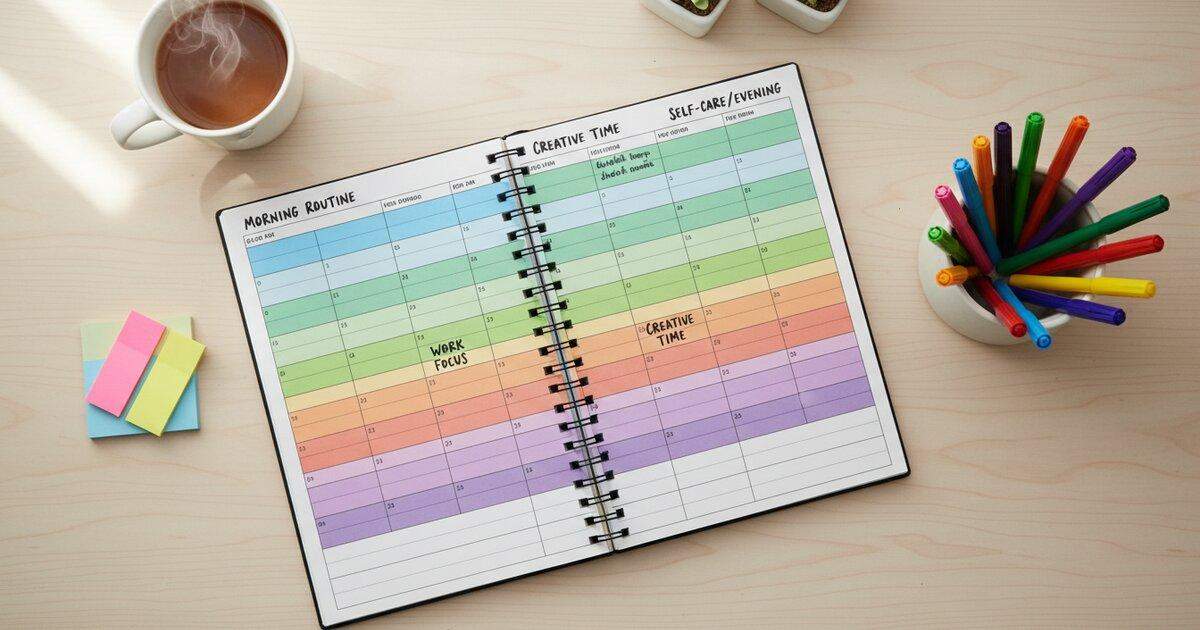
If you have ever reached the end of a busy day and realized you made almost no progress on the things that actually matter, you are not alone. Most people operate from a reactive to-do list, jumping between tasks as they come up and hoping everything gets done. Time blocking is a different approach entirely. Instead of reacting to your day, you design it in advance.
Time blocking is a time management method where you divide your day into specific blocks of time, each dedicated to a single task or group of related tasks. Rather than maintaining an open-ended to-do list and hoping you get to everything, you assign each task a place on your calendar. Every hour of your workday has a job. The result is a structured schedule that tells you exactly what to work on and when, eliminating guesswork and keeping you focused throughout the day.
How Time Blocking Works
The concept behind time blocking is straightforward. You take control of your calendar by assigning every task a specific window of time. Here is the basic process:
- Review your task list for the day. Before your day begins, look at everything you need to accomplish. Pull tasks from your project management tool, email, or wherever your obligations live.
- Estimate how long each task will take. Be honest with yourself here. If writing a report usually takes two hours, do not pretend it will take one. Round up rather than down.
- Assign each task to a specific time block on your calendar. Place your most important work during your peak energy hours. Schedule less demanding tasks for periods when your focus naturally dips.
- Work only on the assigned task during each block. This is the critical discipline. When it is time to write, you write. When it is time to answer emails, you answer emails. No mixing.
- Include buffer blocks for unexpected tasks. Things will come up. Leaving gaps in your schedule gives you room to handle surprises without derailing your entire day.
At its core, time blocking is about being intentional with your time. Instead of letting your day happen to you, you decide in advance how each hour will be spent. This shift from reactive to proactive scheduling is what makes the method so powerful.
Benefits of Time Blocking
People who adopt time blocking consistently report that it transforms how they work. Here are the key advantages that make this method worth trying.
It Eliminates Decision Fatigue
Every time you finish a task and ask yourself "what should I work on next?", you burn a small amount of mental energy. Over the course of a day, these micro-decisions add up. With time blocking, you never have to make that choice. You look at your calendar and you know exactly what comes next. This frees up cognitive resources for the actual work.
It Reduces Context Switching
Research consistently shows that switching between different types of tasks carries a significant mental cost. Each time you shift from one project to another, your brain needs time to re-engage with the new context. Time blocking minimizes these transitions by grouping your work into longer, uninterrupted stretches. You spend more time in a state of productive flow and less time recovering from task switches.
It Creates Realistic Expectations
A to-do list with fifteen items on it can feel manageable in theory. But when you try to fit those fifteen items into eight hours, you often discover there is simply not enough time. Time blocking forces you to confront this reality upfront. When you see that your tasks fill twelve hours but you only have eight, you can prioritize ruthlessly before the day begins rather than scrambling at the end.
It Makes It Easier to Say No
When someone asks you to take on a new task or attend an unplanned meeting, a blocked calendar gives you a concrete reason to decline or reschedule. You can say "I have focused work scheduled from 10 to 12, but I am free at 2." This protects your most important work from constant interruption.
It Gives You a Visual Picture of Your Day
There is something powerful about seeing your entire day laid out in blocks. You can immediately spot imbalances. Too many meetings? Not enough deep work? Skipping lunch again? A blocked calendar makes these patterns obvious, so you can correct them before they become habits.
It Helps Identify Where Time Is Being Wasted
When you track how you spend your time in blocks, you start to see patterns. Maybe you are spending three hours a day on email when one hour would suffice. Maybe meetings are eating up your most productive morning hours. Time blocking reveals these inefficiencies, which is the first step toward fixing them.
Time Blocking vs. the Pomodoro Technique
If you are already familiar with the Pomodoro Technique, you might wonder how time blocking fits alongside it. The answer is that these two methods are not competitors. They are complementary tools that work at different levels of your productivity system.
Time blocking answers the question of what you work on. It is a scheduling strategy. You decide that from 9:00 to 11:00, you will work on writing your quarterly report. The Pomodoro Technique answers the question of how you work on it. Within that two-hour block, you might run four focused 25-minute pomodoros with short breaks in between.
This combination is particularly effective. Time blocking ensures you are working on the right things at the right times. The Pomodoro Technique ensures you maintain intense focus during each block and take the breaks your brain needs to sustain that focus throughout the day.
You can try this approach right now using the Productivity Timer to run pomodoros within your time blocks. Start a 25-minute session, work with full concentration, then take your break before beginning the next pomodoro in the same block.
How to Start Time Blocking
If you are new to time blocking, the best approach is to start simple and refine your system over time. Here is a step-by-step guide to get you going.
Step 1: Block Your Non-Negotiables First
Start by placing the fixed commitments on your calendar. These are things that happen at set times and cannot be moved: meetings, meals, commute time, school pickup, exercise routines. These anchors form the skeleton of your day. Everything else will fit around them.
Step 2: Schedule Your Most Important Work During Peak Hours
Most people have a window of two to four hours when their energy and concentration are at their highest. For many, this is the first few hours of the morning. Identify your peak hours and protect them fiercely. This is where your most demanding, highest-impact work should go. Do not fill this time with email or administrative tasks.
Step 3: Group Similar Tasks Together
Rather than scattering similar tasks throughout your day, batch them into a single block. Answer all your emails in one block. Make all your phone calls in another. Handle all administrative work in a dedicated window. This reduces context switching and allows your brain to stay in one mode for longer periods.
Step 4: Leave Buffer Time
A common mistake with time blocking is scheduling every minute of the day. This looks productive on paper but falls apart the moment something unexpected happens. Leave 10 to 20 percent of your day unblocked. These buffer blocks absorb the inevitable surprises, overflow from tasks that run long, and give you breathing room between intense focus sessions.
Step 5: Choose Your Tool
You do not need anything fancy to start time blocking. Google Calendar, Outlook, Apple Calendar, or even a paper planner all work well. The best tool is the one you will actually use consistently. Some people prefer digital calendars because they are easy to rearrange. Others find that physically writing their blocks on paper makes the commitment feel more real.
Common Time Blocking Strategies
Once you are comfortable with the basics, you can explore different variations of time blocking to find what works best for your workflow.
Task Batching
Task batching means grouping similar tasks into a single time block. Instead of checking email every twenty minutes, you batch all email into two 30-minute blocks per day. Instead of handling invoices one at a time as they come in, you process them all during a weekly admin block. Batching reduces the mental cost of switching between different types of work and helps you move through similar tasks more efficiently.
Day Theming
Day theming takes batching to its logical extreme. Instead of mixing different types of work each day, you assign a theme to each day of the week. Monday might be for administrative work and planning. Tuesday and Wednesday could be reserved for creative projects. Thursday might be your meeting day. Friday could be for review and learning. This approach works especially well for people who manage multiple projects or roles and need large stretches of uninterrupted time for each one.
Time Boxing
Time boxing is a stricter version of time blocking where you set a hard limit on how long you will spend on a task. If you give yourself 90 minutes to draft a blog post, you stop at 90 minutes regardless of whether it is finished. This approach prevents perfectionism and scope creep. It also creates healthy urgency that often leads to faster, more decisive work.
Energy-Based Blocking
This strategy involves mapping your tasks to your natural energy curve throughout the day. High-energy, high-focus work goes in your peak hours. Lower-energy tasks like organizing files, answering routine emails, or scheduling appointments go in your low-energy windows. By aligning task difficulty with your natural energy rhythm, you get better results from every block without fighting against your biology.
Tips for Making Time Blocking Work
Time blocking is simple in concept but takes practice to master. These tips will help you avoid the most common pitfalls and build a system that sticks.
Be Realistic About How Long Tasks Take
The number one reason time blocking fails is underestimating task duration. If you consistently run over your blocks, you need to increase your estimates. Track how long tasks actually take for a week or two, then use those numbers instead of your optimistic guesses. It is far better to finish a block early and have bonus time than to constantly fall behind schedule.
Protect Your Blocks from Interruptions
A time block is only useful if you actually honor it. Close unnecessary tabs. Silence notifications. Put your phone in another room if you need to. Let colleagues know when you are in a focused block and when you will be available. If you work in an open office, consider wearing headphones as a signal that you are not available for casual conversation.
Review and Adjust Weekly
At the end of each week, spend fifteen minutes reviewing how your blocks went. Which ones worked well? Which ones did you consistently skip or run over? What tasks took longer than expected? Use a weekly productivity review to rate your focus, energy, and output across the week, then adjust your blocks for the following week. Time blocking is an iterative practice. Your schedule should evolve as you learn more about your work patterns.
Schedule Breaks and Meals
It sounds obvious, but many people block out their entire day for work and forget to schedule breaks and meals. Your brain cannot maintain intense focus for eight straight hours. Build in lunch, short breaks between blocks, and at least one longer break during the day. These are not luxuries. They are necessary for sustained productivity.
Use the Pomodoro Technique Within Your Blocks
For blocks that require deep focus, the Pomodoro Technique is an excellent companion. Set a 25-minute timer using the Productivity Timer, work with complete concentration, then take a five-minute break. Repeat this cycle throughout the block. The structured work-and-rest rhythm helps you maintain focus across longer blocks without burning out. It also gives you natural checkpoints to assess your progress within each block.
Start Small and Build Up
If blocking out your entire day feels overwhelming, start by blocking just your morning. Protect those first few hours with intentional blocks and let the afternoon remain flexible. Once you are comfortable with that, gradually extend your time blocking to cover more of the day. A partial system that you follow consistently is far more valuable than a perfect system you abandon after a week.
Take Control of Your Schedule
Time blocking is not about rigidly controlling every minute of your life. It is about making intentional choices about how you spend your working hours. When you decide in advance what you will work on and when, you free yourself from the constant stress of wondering what to do next. You reduce the chaos of a reactive workday and replace it with calm, purposeful focus.
The people who get the most done are rarely the ones who work the most hours. They are the ones who use their hours most deliberately. Time blocking is the tool that makes that possible. Pair it with the Pomodoro Technique to maintain sharp focus within each block, and you have a productivity system that covers both the big picture and the moment-to-moment execution.
Start with tomorrow. Tonight, take ten minutes to block out your day. Place your most important task in your peak energy window. Batch your email into two short blocks. Leave some buffer space. Then follow your plan and see how it feels. You might be surprised at how much more you accomplish when every hour has a purpose. If you want a quick way to map out your tasks and Pomodoro sessions, try the Daily Pomodoro Planner. For bigger projects, the Task Estimator helps you break work into subtasks and plan a multi-day schedule.
Frequently Asked Questions
Is time blocking the same as scheduling?
Not quite. A traditional schedule usually only includes meetings and appointments. Time blocking goes further by assigning every task, including focused work, email, and breaks, to a specific window on your calendar. The goal is to account for how every hour of your day will be spent, not just your commitments with other people.
What is the best app for time blocking?
Google Calendar is the most popular choice because it is free, works on every device, and makes it easy to create, move, and color-code blocks. Apple Calendar and Outlook work well too. The best app is whichever one you already use and will actually stick with consistently.
How detailed should time blocks be?
Blocks should be specific enough that you know exactly what to work on, but not so granular that your entire day falls apart if one task runs long. Blocks of 30 minutes to 2 hours work well for most people. Keep some buffer time between blocks to handle overflow and unexpected tasks.
What if tasks take longer than the time block I set?
This happens regularly, especially when you are new to time blocking. When a task runs over, you have two options: extend the block and push later tasks back, or stop at the scheduled time and continue in a future block. Over time, you will get better at estimating how long things actually take.