Task Batching: Group Similar Tasks for Better Efficiency
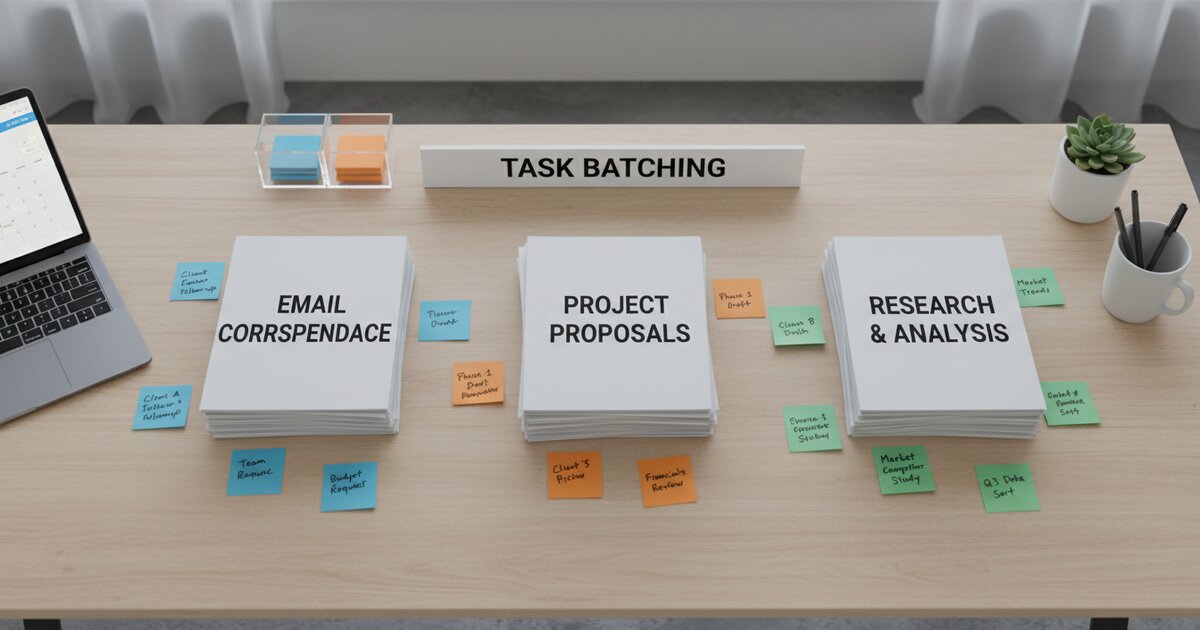
Every time you switch between different types of tasks, your brain pays a tax. Writing an email, then coding, then replying to a Slack message, then editing a document, then back to coding - each one of those transitions costs you mental energy and focus. Most people do not notice the cost because it is spread across dozens of small switches throughout the day. But added together, it is enormous.
Task batching is the practice of grouping similar tasks together and doing them all at once. Instead of scattering your emails, calls, admin work, and creative tasks randomly across the day, you give each type its own dedicated block of time. It is one of the simplest productivity improvements you can make, and the results are often felt immediately.
What Is Task Batching?
Task batching means collecting similar tasks and completing them in a single focused session. The principle is straightforward: keep your brain in one "mode" rather than constantly forcing it to switch gears.
Instead of checking email 30 times throughout the day - once every 15 or 20 minutes, sometimes just to see if anything new has come in - you check it 3 times in dedicated blocks (this is exactly what Inbox Zero recommends). Instead of writing one social media post, then doing something completely unrelated, then writing another post an hour later, you write all the posts in one sitting while you are already in writing mode.
Think about it the way a factory works. An assembly line does not build one car door, then switch to making a tire, then go back to another door, then make a windshield. It produces all the doors in one run, all the tires in another, because the setup and tooling required for each product type is different. Your brain operates the same way. Each type of task requires a different set of mental tools, and loading those tools takes time and energy.
When you batch your tasks, you load those mental tools once and keep using them until the batch is done. That is where the efficiency comes from.
The Problem with Context Switching
Context switching is one of the biggest productivity killers in modern work. Research from the University of California, Irvine found that after being interrupted, it takes an average of 23 minutes to fully regain your previous level of focus. Other studies suggest each task switch costs somewhere between 15 and 25 minutes of refocused attention. The numbers vary by study, but the direction is always the same: switching is expensive.
If you switch tasks 10 times during a workday, that is potentially 3 to 4 hours of lost productive time. Not lost because you were sitting around doing nothing - lost because your brain was in the process of reloading context, re-reading where you left off, and getting back into the flow of whatever you were working on before the interruption.
Context switching also increases errors and reduces the quality of your work. When your brain is partially still thinking about the last thing you were doing, it cannot give full attention to what you are doing now. You miss details. You make mistakes you would not normally make. The work gets done, but it takes longer and it is not as good as it would have been with sustained focus.
Your brain needs to reload the "mental model" for each new task type. Writing requires a different mental setup than analyzing numbers. Responding to messages requires a different mode than designing something creative. Each transition means dismantling one model and building another. That is cognitive work that produces no output - it is pure overhead.
This is why you sometimes feel busy all day but do not feel like you actually accomplished much. You spent most of your energy switching between things, not doing the things themselves.
Common Tasks to Batch
Almost any recurring task can be batched. Here are the categories where most people see the biggest impact.
Email and Messages
This is the single biggest opportunity for most people. Check and respond to email 2-3 times per day in dedicated 20-30 minute blocks. Turn off notifications between those blocks. Yes, actually turn them off. Most emails do not require an immediate response, and the ones that do are rare enough that people will call you if it is truly urgent. You will respond to the same number of emails either way - the difference is that you will do it without destroying your focus on everything else.
Meetings
Group meetings together on certain days or within certain time blocks. If you have the flexibility, try to cluster your meetings on two or three days per week and keep the other days meeting-free for focused work. Even grouping all your meetings into the morning or afternoon of each day makes a significant difference. The goal is to protect large, unbroken chunks of time for work that requires sustained concentration.
Administrative Tasks
Invoices, expense reports, filing, data entry, scheduling, form-filling - all of these are small tasks that feel quick individually but fragment your day when scattered across it. Set aside one block per week (or per day, depending on your volume) to handle all admin tasks at once. Friday afternoon works well for a lot of people because admin tasks do not require peak creative energy.
Content Creation
Write multiple blog posts, create several social media updates, or draft multiple emails in one creative session. When you are already in writing mode - when the words are flowing and you are thinking in sentences and paragraphs - it is much easier to stay there than to leave and come back. Batch your writing and you will produce more in less time, and it will probably be better quality too.
Phone Calls
If you regularly make calls - to clients, vendors, partners, whoever - batch them into one block rather than spacing them throughout the day. Calls require a specific kind of social energy, and it is more efficient to spend that energy all at once than to repeatedly switch into and out of "phone mode." Schedule your call block for a time when you are naturally more social and energetic.
Research
When you need information for multiple projects, do all your research at once while you are in "research mode." Having multiple browser tabs open and scanning through articles and data feels scattered when you are trying to do deep work, but it feels natural when that is the task at hand. Batch your research, take notes on everything you find, and then close the browser and shift to execution mode.
How to Start Task Batching
You do not need to overhaul your entire schedule overnight. Here is a step-by-step approach to getting started.
Step 1: Track your tasks for one week. Write down every task you do throughout the day and note what type it is - communication, creative work, administrative, deep work, research, meetings. You will start to see patterns in how your day is actually structured versus how you think it is structured. Most people are surprised by how much time they spend on communication and admin tasks scattered across the day.
Step 2: Identify what keeps interrupting your focused work. Look at your tracking data and find the tasks that keep pulling you out of deep focus. For most people, email and messaging are the top offenders. But it might be ad-hoc meetings, administrative requests, or phone calls. Whatever it is, those are your highest-priority candidates for batching.
Step 3: Group those tasks into batches. Decide which tasks belong together. Email and Slack messages are a natural batch. All your weekly admin tasks are another. Your creative work is another. Create 3-5 batch categories that cover the recurring tasks in your week.
Step 4: Assign each batch to a specific time block. Use time blocking to put your batches on your calendar with real start and end times. Treat these blocks like meetings - they are commitments to yourself. Email from 9:00 to 9:30, deep work from 9:30 to 12:00, meetings from 1:00 to 3:00, admin from 3:00 to 4:00. The specific times will depend on your role and energy patterns.
Step 5: Use the Pomodoro Technique within each batch. Once your batches are scheduled, use Productivity Timer to maintain focus within each block. The timer gives you structure inside the batch - clear work periods, clear breaks, and a rhythm that keeps you moving through the work instead of getting stuck on any one item.
Task Batching + Pomodoro Technique
These two methods work remarkably well together. Task batching tells you what to work on and when. The Pomodoro Technique keeps you focused and energized while you are doing it.
Here is what it looks like in practice. You have an email batch scheduled from 9:00 to 10:00 AM. Within that hour, you run four 15-minute pomodoros. Each pomodoro is dedicated to processing and responding to email. You work through your inbox systematically, take a quick break between each sprint, and by 10:00 your email is handled for the morning.
Then you shift to your writing batch from 10:00 AM to 12:00 PM. Within those two hours, you run four 25-minute pomodoros with 5-minute breaks between them. Each pomodoro is spent writing - not researching, not outlining, not formatting, just writing. By noon you have produced a significant amount of content with full creative focus.
The Pomodoro timer also keeps you from spending too long on any single batch. Without it, a 1-hour email block can easily stretch to 90 minutes as you chase down rabbit holes and craft unnecessarily detailed replies. The timer creates healthy pressure to work efficiently within the boundaries you have set.
Use Productivity Timer to time your batched work sessions. You can adjust the timer length to match different batch types - shorter sprints for communication tasks, longer sprints for creative or analytical work.
Tips for Effective Task Batching
- Schedule your hardest batches during your peak energy hours. Most people have a window of 2-4 hours during the day when they feel sharpest and most focused. Use that window for your most demanding batch - usually deep work or creative tasks. Do not waste your best hours on email.
- Do not make batches too long. 1-2 hours is usually the sweet spot for a single batch type. Beyond that, fatigue sets in and the quality of your work drops. If you have more than two hours of a particular task type, split it into two separate batches with something different in between.
- Leave buffer time between batches. Give yourself 10-15 minutes between batches for transitions and unexpected tasks. Use this buffer to apply the two-minute rule — knock out any quick tasks that have come in so they do not pile up. Things will come up that do not fit neatly into any batch, and having a bit of slack in your schedule prevents everything from cascading when something runs over.
- Be strict about email and message batching. This is where most people see the biggest gains, and it is also where most people cheat. The urge to "just quickly check" email is strong, but every quick check is a context switch that costs you more than the 30 seconds it seems to take. Stick to your scheduled blocks.
- Tell your colleagues about your schedule. Let people know when you check email and messages so they know when to expect responses. Most people are perfectly fine waiting a few hours for a reply as long as they know it is coming. The anxiety usually comes from not knowing when they will hear back.
- Review your batching system weekly. At the end of each week, look at what worked and what did not. Did your batches feel too long or too short? Were there tasks you kept doing outside of their batches? Adjust your schedule based on what you learn. The first version of your batching system will not be perfect, and that is fine. Refine it over time.
Start This Week
You do not need to batch every task in your life to see results. Start with one. Pick the task you currently scatter most throughout the day - for most people, that is email - and batch it into 2-3 dedicated blocks tomorrow. Morning, midday, and late afternoon works for most schedules.
When your email block arrives, set Productivity Timer and work through your inbox with full focus. When the block ends, close your email client and move on to your next task. Resist the urge to check between blocks.
You will be surprised by two things. First, how much mental energy you recover when you are not constantly context-switching. Second, how little changes when you stop responding to email instantly. The world keeps turning. Your colleagues adjust. And you get back hours of focused, productive time that context switching had been quietly stealing from you all along.
Frequently Asked Questions
What is task batching?
Task batching is the practice of grouping similar tasks together and completing them in a single focused session. Instead of switching between emails, calls, and creative work throughout the day, you dedicate specific blocks of time to each type of task.
How is task batching different from multitasking?
Task batching is the opposite of multitasking. Multitasking means jumping between different types of work at the same time, which causes constant context switching. Batching means doing one type of work at a time in a dedicated block, so your brain stays in a single mode and works more efficiently.
What tasks are best for batching?
Email, messaging, phone calls, administrative work, content creation, and research are all strong candidates for batching. Any recurring task that you currently scatter throughout your day can benefit from being grouped into a single focused session.
How long should a task batch be?
Most task batches work best at 1 to 2 hours. Shorter than that and you may not finish everything in the batch. Longer than that and fatigue starts to lower the quality of your work. If you have more than two hours of one task type, split it into two separate batches with a different activity in between.