Work From Home Productivity: Tips to Stay Focused
Working from home sounds great until you realize your couch is five steps away, the fridge is calling your name every twenty minutes, and your cat has decided that your keyboard is the most comfortable spot in the entire house. Remote work has real advantages - no commute, a flexible schedule, and the freedom to work in sweatpants if you feel like it. But without the structure that an office naturally provides, productivity can fall apart fast.
If you have been struggling to stay focused while working remotely, you are not alone. Millions of people made the shift to home offices over the past few years, and plenty of them are still figuring out how to make it work. The good news is that staying productive at home is absolutely possible. It just requires some intentional habits and a bit of structure. These tips will help you build a system that actually works - not in theory, but in your real, distraction-filled home.
Set Up a Dedicated Workspace
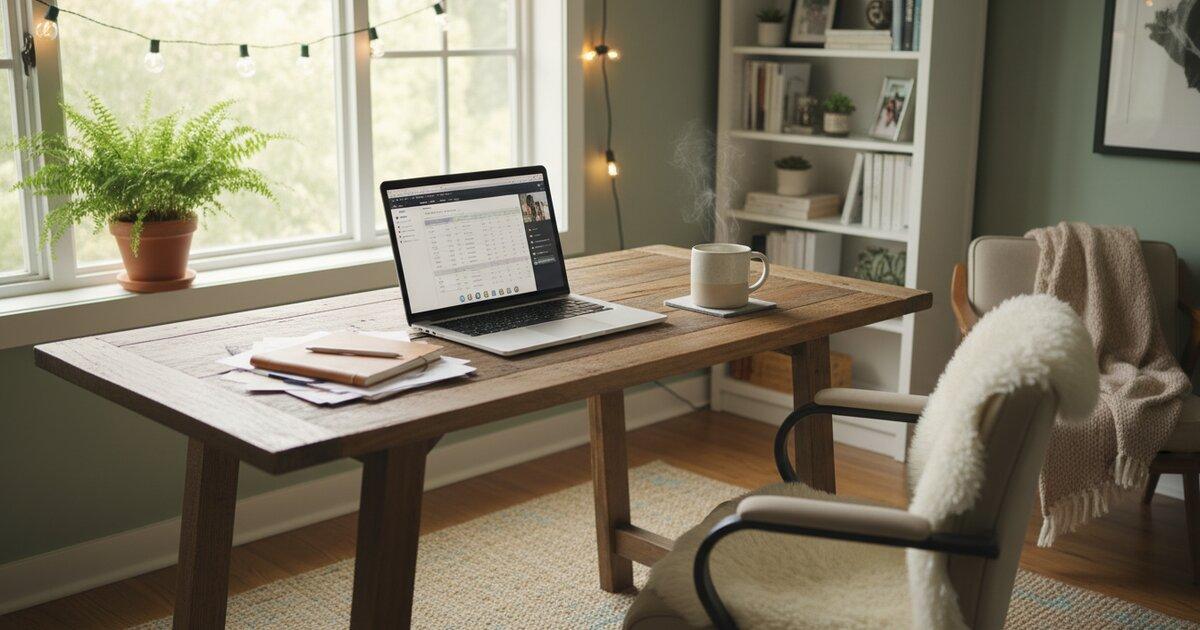
This is the foundation everything else builds on. You need a physical boundary between "work" and "home," even if your apartment is tiny and that boundary is just a corner of your living room with a small desk in it.
A dedicated workspace signals to your brain that it is time to focus. When you sit down at that desk, your mind starts to associate the location with work, and over time that association gets stronger. It is the same reason people find it easier to sleep in their bedroom than on the couch - your brain links places with activities.
Avoid working from your bed or the couch. Yes, it feels comfortable in the moment, but your brain associates those spots with relaxation and rest. When you try to grind through a project report while half-reclined on your sofa, you are fighting your own psychology. You will lose that fight more often than you win it.
You do not need a fancy home office with a standing desk and dual monitors to be productive. A small desk, a decent chair that does not wreck your back, and good lighting are enough to get started. If you can close a door to separate yourself from the rest of the household, even better. That physical barrier reduces interruptions from family members, roommates, or anyone else who might wander by and start chatting.
Create a Consistent Routine
If there is one change that makes the biggest difference for remote workers, it is this: start work at the same time every day. Consistency is the single most impactful thing you can do for your work-from-home productivity. When your start time is predictable, your brain gets into gear automatically. When it floats around depending on how you feel that morning, you waste energy just deciding when to begin.
Build a "startup ritual" that kicks off your workday. It does not need to be elaborate. Make your coffee, sit down at your desk, open your task list, and review what needs to happen today. That small sequence of actions becomes a trigger that tells your brain the workday has started.
Get dressed. You do not need to put on a suit or business casual - that is not the point. The point is that changing out of your pajamas creates a psychological shift. It sounds trivial, but people who stay in their sleepwear all day consistently report feeling less motivated and less focused. Put on real clothes. It matters more than you think.
Plan your day either the night before or first thing in the morning. Knowing exactly what you need to accomplish removes the "what should I work on?" paralysis that eats up the first hour of so many remote workers' days. If you want a structured approach to planning, time blocking is one of the most effective methods - you assign specific tasks to specific hours and then follow your plan.
Use the Pomodoro Technique to Stay on Track
The Pomodoro Technique works especially well for remote work because it provides the kind of built-in structure that an office gives you for free. In an office, meetings, colleagues stopping by, and lunch breaks create a natural rhythm to your day. At home, you have to create that rhythm yourself.
The concept is straightforward: 25 minutes of focused work, then a 5-minute break. After four cycles, take a longer break of 15 to 30 minutes. This simple rhythm prevents one of the most common remote work problems - the "I'll just check something quick" trap where you open your browser for one thing and somehow lose 45 minutes to social media or news articles.
The timer creates accountability when there is no manager walking past your desk. When you commit to 25 minutes of focused work on a specific task, you have made a small promise to yourself. Breaking that promise by wandering off to scroll Instagram feels different when a timer is visibly counting down.
Track how many pomodoros you complete each day. This keeps you honest about how much focused work you are actually doing versus how much time you spend in that gray zone of half-working, half-browsing that remote workers know all too well. You might think you worked for six hours, but if you only completed eight pomodoros, your real focused time was closer to three and a half hours.
Try using Productivity Timer to structure your remote workday. Having a visible timer running gives your day the kind of pace and accountability that remote work otherwise lacks.
Manage Distractions
Distractions are the number one enemy of work-from-home productivity, and they come from more directions than you might expect. The key is recognizing the different types and having a plan for each one.
Digital Distractions
Your phone and your browser are the biggest culprits here. During a focused work session, close every tab that is not directly related to your current task. That means social media, news sites, Reddit, YouTube - all of it. Silence your phone notifications or, better yet, put your phone in a different room entirely. If you find yourself constantly opening blocked sites out of habit, use a browser extension that blocks distracting websites during work hours. Turn off email notifications too. Checking email is a task you can batch into two or three specific times per day, not something that should interrupt you every few minutes.
Household Distractions
This is the category that office workers never had to deal with. The dishes in the sink, the laundry that needs folding, the package that just got delivered - these things tug at your attention because they are right there in front of you.
Set clear boundaries with anyone you live with about your work hours. Let them know that when your door is closed or when you are at your desk with headphones on, you are working and should not be interrupted unless it is urgent. Do not start a load of laundry "real quick" during a pomodoro. Do not reorganize the pantry during what was supposed to be a five-minute break. Save household chores for after work hours. They will still be there when you are done.
The "Quick Break" Trap
This one is sneaky. You finish a task and think, "I'll just watch one quick video before I start the next thing." A two-minute YouTube video becomes a 30-minute rabbit hole. A quick scroll through Twitter becomes half an hour of reading replies to something that annoyed you.
If you feel the urge to browse or watch something, write it down and save it for your Pomodoro break. When your 5-minute break arrives, you can check that thing guilt-free. But set a timer for the break too. The structure of the Pomodoro cycle keeps these small indulgences from ballooning into productivity black holes.
Take Real Breaks
One of the biggest mistakes remote workers make is never truly stepping away from their desk. In an office, you naturally take breaks - you walk to the kitchen, chat with a colleague, go out for lunch. At home, it is easy to just sit at your desk for eight hours straight, eating lunch in front of your screen and calling that "working hard."
That is not discipline. That is a recipe for burnout and declining output.
During your breaks, get away from your screen. Stand up. Walk outside for a few minutes and get some fresh air. Stretch your body. Make a snack in the kitchen. Do anything that is not staring at a screen. Your brain needs these moments of rest to process information and recharge for the next round of focused work.
Eat lunch away from your desk. This one change makes a surprisingly large difference in how you feel during the afternoon. When you eat at your desk, your brain never gets the signal that you took a real break, and your afternoon energy suffers as a result.
The Pomodoro break structure helps with this. Your timer tells you when to stop and when to return. You do not have to decide whether you have "earned" a break or whether you can afford to step away. The system handles it for you. If you need ideas for what to do during your breaks, check out 27 things to do during your 5-minute Pomodoro break.
Set Boundaries Between Work and Life
Without a commute, there is no natural signal that tells your brain the workday is over. You do not walk out of an office building and get into your car. You just close your laptop - maybe - and you are already home. This blurriness is one of the biggest reasons remote workers burn out.
Set a hard stop time and stick to it. Decide that at 5:30 PM, or whatever time works for you, the workday is done. Not "done unless something comes up" or "done unless I feel like doing a little more." Done.
Create an end-of-day ritual that signals the transition. Close your laptop. Tidy up your desk. Write down the first three tasks you will tackle tomorrow morning. Change out of your work clothes if you want to make the boundary even more physical. These small actions train your brain to switch off from work mode.
Do not check work email or Slack after hours. This is a hard one for people who feel like they need to be available, but it is essential. Every time you check a work message in the evening, you pull yourself back into work mode and disrupt the recovery your brain needs. Unless you are genuinely on call for emergencies, the emails can wait until morning.
This is not just about productivity. It is about preventing the slow creep of burnout that happens when work and life blend together into an undifferentiated blur. Protecting your off hours makes your on hours better.
Stay Connected with Your Team
Remote work can feel isolating, and isolation kills motivation. When you go days without meaningful interaction with your colleagues, it is easy to feel disconnected from the work and the people you are doing it with. That disconnection quietly erodes your drive to show up and do your best.
Over-communicate rather than under-communicate. In an office, people pick up on context cues - they see you working, they overhear conversations, they bump into you in the hallway. None of that happens remotely, so you need to be more intentional about sharing updates, asking questions, and letting people know what you are working on.
Keep your camera on during video calls when possible. It is tempting to hide behind a blank screen, but seeing faces builds connection and trust in ways that voice alone cannot. You do not need to be on camera for every single call, but default to camera-on for team meetings and one-on-ones.
Have informal check-ins with colleagues that are not about project status. A quick "how are you doing?" conversation goes a long way toward maintaining the human connections that make work feel meaningful. Some remote teams also do virtual coworking sessions - everyone joins a video call, works quietly on their own tasks, and just shares the space. It sounds strange, but it recreates some of the ambient accountability and companionship of an office.
Tools That Help
You do not need a dozen apps to be productive at home, but a few well-chosen tools can make a real difference.
- A timer for the Pomodoro Technique. Productivity Timer gives your day structure and keeps you honest about how much focused work you are actually doing.
- A task manager. Whether it is a simple to-do list app or something more robust, keep your tasks visible so you always know what to work on next. The worst feeling in remote work is sitting down and not knowing where to start.
- A calendar for time blocking. Assign your tasks to specific time slots and follow your plan. This removes decision fatigue and ensures your most important work gets done.
- Noise-canceling headphones or focus music. If your home environment is noisy, headphones with ambient music or white noise can create a sound barrier that helps you concentrate.
Start Tomorrow Morning
You do not need to overhaul your entire routine overnight. Pick one or two tips from this list and try them tomorrow morning. Maybe you set a consistent start time and stick to it. Maybe you run your first set of Pomodoro sessions. Maybe you finally set up that dedicated workspace you have been putting off.
The biggest mistake remote workers make is trying to change everything at once. That leads to overwhelm, and overwhelm leads to giving up and going back to old habits. Instead, build one good habit at a time. Get comfortable with it, then add another. Your work-from-home productivity will steadily improve - not because you found some magic trick, but because you built a system that supports focused work in a place full of distractions.
Frequently Asked Questions
How do you stay motivated working from home?
Create a consistent daily routine with a fixed start time, get dressed as if you were going to an office, and use the Pomodoro Technique to build structure into your day. Tracking completed focus sessions gives you a sense of progress that keeps motivation going even on tough days.
What's the best schedule for remote work?
The best remote work schedule starts at the same time every day and front-loads your most demanding tasks during your peak energy hours, usually the morning. Use time blocking to assign specific tasks to specific hours, and set a hard stop time in the evening to maintain work-life boundaries.
How do you avoid distractions at home?
Set up a dedicated workspace with a door you can close, put your phone in another room during focus sessions, and use a website blocker to prevent mindless browsing. Set clear boundaries with the people you live with about your work hours and save household chores for after work.
Is working from home less productive?
Not necessarily. Many remote workers are just as productive or more productive than their in-office counterparts, provided they have structure and good habits in place. The key factors are a dedicated workspace, a consistent routine, regular breaks, and intentional strategies for managing distractions.